I’ve created a Google Sheets template you can use to automate (as much as possible) the import of drop-ins, especially those with large numbers of recurrences (like Dharma in Daily Life or Thursday Morning Retreat, for example).
Note
All hours and minutes must be two-digit numbers.
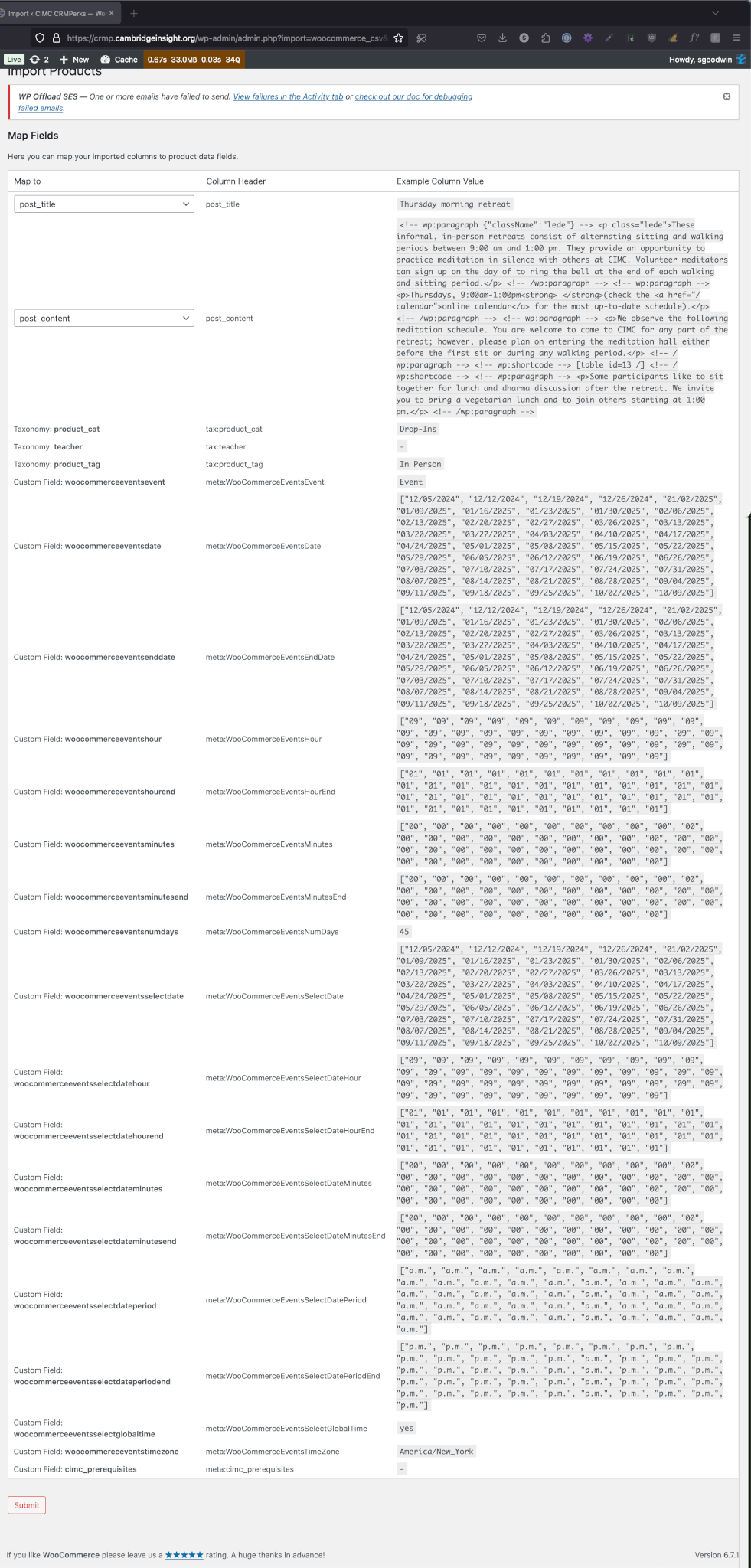
Spreadsheet fields
- post_title
- post_content
- tax:product_cat
- tax:teacher
- tax:product_tag: this value may be Online, In Person, or Hybrid. I’ve noticed that drop-ins listed as hybrid are not hybrid in the same way that some Registration Programs are Hybrid, so for these drop-ins, select both Online and In Person for the tag.
- meta:WooCommerceEventsEvent: this value is always “Event”
- meta:WooCommerceEventsDate: event beginning date
- meta:WooCommerceEventsEndDate: event ending date. If this is a daily recurring program, of course, the end date is the same as the beginning date.
- meta:WooCommerceEventsHour: event starting hour
- meta:WooCommerceEventsHourEnd: event ending hour
- meta:WooCommerceEventsMinutes: event starting minutes (for example, this would be “30” if the event starts at 4:30)
- meta:WooCommerceEventsMinutesEnd: event ending minutes
- meta:WooCommerceEventsNumDays: number of recurrences (45 is the maximum)
- meta:WooCommerceEventsSelectDate: same as item 7.
- meta:WooCommerceEventsSelectDateHour: same as item 9.
- meta:WooCommerceEventsSelectDateHourEnd: same as item 10.
- meta:WooCommerceEventsSelectDateMinutes: same as item 11.
- meta:WooCommerceEventsSelectDateMinutesEnd: same as item 12.
- meta:WooCommerceEventsSelectDatePeriod: am or pm
- meta:WooCommerceEventsSelectDatePeriodEnd: am or pm
- meta:WooCommerceEventsSelectGlobalTime: this value is always “Yes”
- meta:WooCommerceEventsTimeZone: this value is always “America/New_York”
- meta:cimc_prerequisites
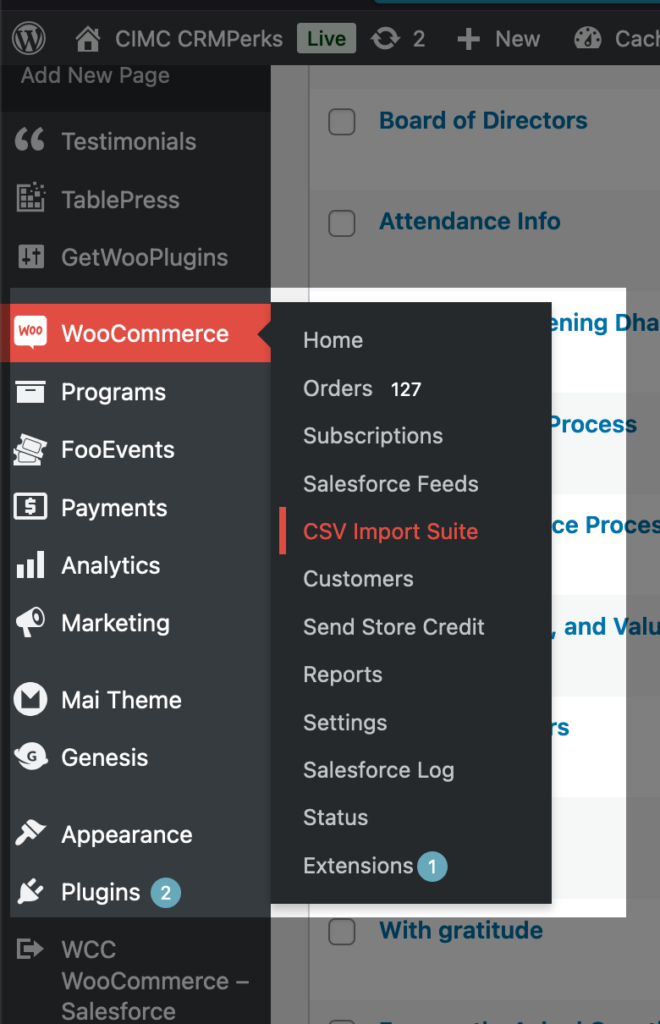
When you upload the spreadsheet via the CSV Import Suite extension, you have an opportunity to double-check everything before you run the import.
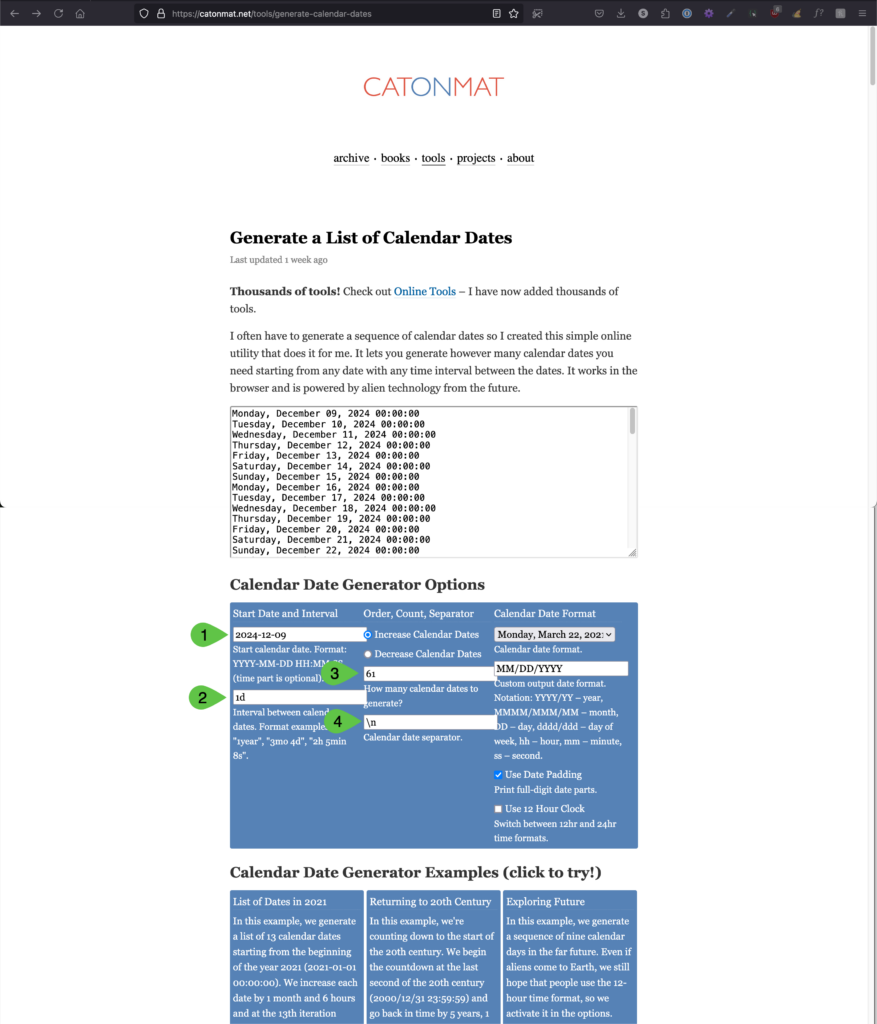
Use an online date generator to get the dates you need for what we’re calling the “high-recurrence drop-ins” for the site. In this example, we need to get the dates for 45 occurrences of a daily program (no weekends).
- First occurrence date of the program
- Interval between recurrences
- Number of dates to generate (here we’re asking for 61 dates because we need 45 dates for our calendar, but we’re excluding weekends)
- Puts each date on its own line.
Note
In this help content, I use a world-class text editor called BBEdit to manipulate content for our spreadsheets. I highly recommend it: you can purchase it through the Mac App Store or directly from Bare Bones Software.