We’ve built this function to provide an opportunity for people visiting an online, free program at CIMC to make a donation in support of the center.
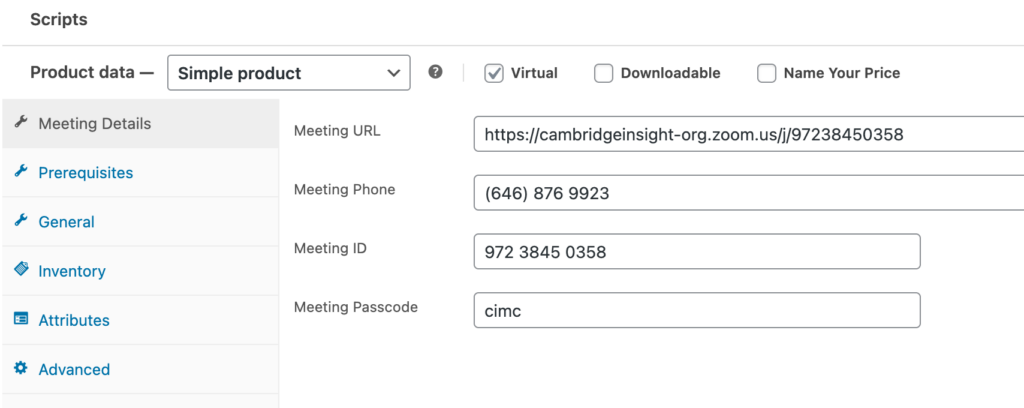
You’ll delete the manually-entered zoom information in the product description, then look for the “meeting info” section in the product back end and fill in the specifics there.
Note
For registration programs, you’ll enter the zoom information into the Purchase Notes area on the backend.
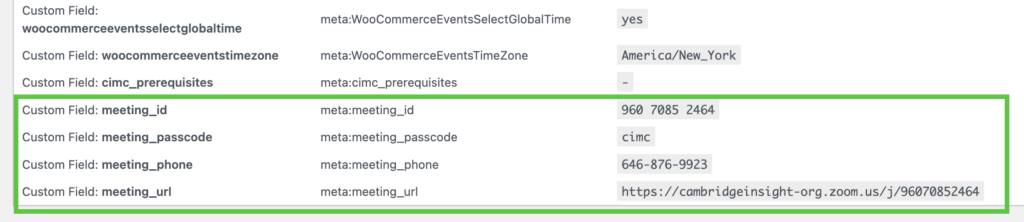
When you bulk import drop-in programs, you can include these settings by including the four custom fields and values shown here.